
















Setup And Troubleshooting
Antminer fan error and Whatsminer fan codes: what each one means
What Antminer fan errors and Whatsminer codes 110 and 111 mean, the order of checks to find the fault, and how to pick the right replacement fan.
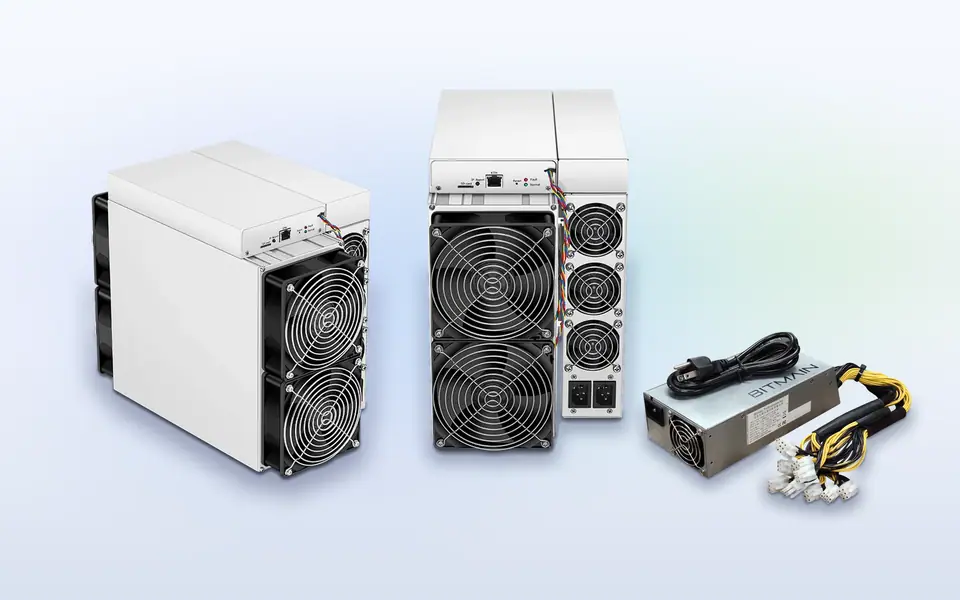
Short answer
An Antminer fan error means the control board read a fan speed of zero, or a speed below its minimum, and stopped hashing to protect the hashboards. On Whatsminer, code 110 points at the intake fan and code 111 at the outlet fan. Check the cables first, then swap fans to learn whether the fault is the fan, its speed wire or the control board.
- Project Hash hosting rate, 1-4 machines
- $0.078
- Project Hash hosting rate, 5-9 machines
- $0.076
- Project Hash hosting rate, 10+ machines
- $0.074
- Hosting setup fee
- $0.00
Your miner stopped hashing and the log blames a fan. You want to know what the message means, whether the fan is really dead, and what to replace. This guide covers the Antminer fan error lines and the Whatsminer fan codes, the order of checks we use to find the fault, and how to choose a replacement fan. It does not cover hashboard, temperature or power supply faults, and it does not cover immersion setups.
It applies to the air-cooled Bitmain and MicroBT models on our miner brands page. Bitmain's own support article on fan errors is the manufacturer reference for the Antminer side.
What does an Antminer fan error mean?
An Antminer fan error means the control board could not read a valid speed from at least one fan, so the firmware refused to start or stopped mining. The board counts pulses on each fan's speed wire. If a fan sends no pulses, or too few, the firmware treats it as lost and shuts the hashboards down before they overheat.
The log usually shows one of these lines: ERROR_FAN_LOST, Fatal Error: some Fan lost or Fan speed low, or a fan speed of zero beside one fan position on the status page. A fan that reads zero is not always a dead fan. It can be a loose plug, a broken speed wire or a damaged header on the control board, which is why the swap test below matters.
What do Whatsminer error 110 and 111 mean?
Whatsminer code 110 means the intake fan speed is out of range, and code 111 means the same for the outlet fan. The intake fan pulls air in at the front, the outlet fan pushes it out at the back, so the code already tells you which side to check.
Codes 120, 130 and 140 belong to the same fan-speed family. Depending on firmware version, they separate faults by fan position and by whether the speed is missing, too low, too high or drifting. Read the description text the miner prints next to the code instead of relying on the number alone, because that text matches your firmware.
Which fan codes and log lines should you look for?
Use this table to match what you see on screen to the first check. The replacement column is the rule we apply when a customer sends us a fan fault.
| Brand | Code or log line | What it means | First check | Replacement fan |
|---|---|---|---|---|
| Antminer | ERROR_FAN_LOST | The board gets no speed signal from one or more fans | Reseat that fan's plug on the control board | Same model as the label on the removed fan |
| Antminer | Fatal Error: some Fan lost or Fan speed low | A fan is missing or spinning below the firmware minimum | Find the position reading zero or low on the status page | Same model as the label on the removed fan |
| Antminer | Fan speed of zero on the status page | No pulses on that fan's speed wire | Swap test to tell fan from cable from board | Only if the fault follows the fan |
| Whatsminer | 110 | Intake fan speed out of range | Check the front fan and its plug | Same model as the label on the removed fan |
| Whatsminer | 111 | Outlet fan speed out of range | Check the rear fan and its plug | Same model as the label on the removed fan |
| Whatsminer | 120, 130, 140 | Other fan-speed faults; the printed description names the fan and the fault | Read the description text, then follow the steps below | Only if the fault follows the fan |
How do you fix a fan error, step by step?
Safety first: a miner's power supply and fans carry live current, and fan blades can cut fingers. Do every hands-on step with the miner switched off and the power cord pulled from the wall, and wait until all fans have stopped turning.
- Open the miner's web interface and read the exact message. On Antminer stock firmware, look at the Miner Status or Dashboard page for fan speeds, and at System then Kernel Log (or Log on newer firmware) for the error line. On Whatsminer, read the code in the Status page or in the WhatsMiner Tool. You should now know which fan position is at fault.
- Write down which fan reads zero or low. You should have one position, or a short list, to work on.
- Shut the miner down and pull the power cord. Wait for the fans to stop. You should see no lights on the control board.
- Unplug and reseat the suspect fan's connector on the control board fan header. You should feel it click fully home, with no bent pins and no pulled wires at the back of the plug.
- Look at the fan blades and the grille for dust, debris or a cable touching the blades. Clear anything you find. The blades should turn freely by hand.
- Power on and check the status page. If every fan now reports a speed and the miner starts hashing, you are done.
- If the error returns, power off again and do the swap test: swap the suspect fan with a fan that reads normally, plugging each into the other's header. Power on and read the speeds. If the zero follows the fan, the fan is faulty. If the zero stays at the same header, the cable or the control board is the problem.
- If the fan is faulty, inspect its speed wire (the tachometer wire) where it enters the plug and the fan hub. A cut or crushed wire means you replace the fan. You should end this step knowing whether you need a new fan.
- If the fault stays with the header, try the suspect fan's cable route and plug on a different header if your board has a spare. A header that fails with a known-good fan points to the control board. Stop here and go to the last section.
Why does a spinning fan read zero?
A spinning fan reads zero because the board measures speed on a separate wire from the one that powers the fan. The fan can run on its power wires while the speed wire is broken, unplugged at one pin or not making contact, so the board sees nothing and calls the fan lost.
The other common causes are a bent pin on the control board fan header, a damaged header, and a replacement fan from another model that spins but does not send the speed signal the firmware expects. The swap test separates these: a bad wire or a wrong fan follows the fan, a bad header stays put.
Can a miner run with a fan missing?
No. An air-cooled miner should not run with a fan missing, unplugged or with the fan check bypassed. The firmware stops hashing for a reason: the hashboards depend on the full airflow path, and losing one fan raises chip temperatures fast enough to damage boards.
Some firmware lets you disable the fan check. That setting exists for immersion cooling, where the fluid carries the heat and the fans are removed on purpose. Do not use it on a machine cooled by air. If you would rather not service fans yourself, read how hosting works at Project Hash to see what the customer does and what the site team does.
Which replacement fan fits my miner?
The right replacement fan is the same model as the one you remove. Read the label on the hub of the old fan and match the manufacturer, model number, size, rated voltage and connector. A fan that fits the frame but has a different connector or a different speed signal can spin and still trigger the same error.
Our replacement fan listings are not linked from this guide yet. Until they are, send Project Hash support your miner model and a photo of the old fan's label, and we confirm the matching part before you order. If your miner uses fans of two types, intake and outlet, replace like with like in each position.
If it still does not work
If the swap test shows the fault stays at one header, or every fan reports zero at once, the control board or its power feed is the likely cause, and that is a repair job rather than a fan swap. Contact Project Hash support with the miner model, the exact log line or code, and the result of each step you completed. That lets us tell you whether the board needs repair or replacement without starting from scratch.
A limit of this guide: Whatsminer code descriptions and Antminer log wording change between firmware versions, so the exact text on your screen can differ from the table. Trust the text your miner prints over the code number. For more fixes, see our setup and troubleshooting guides, and look up terms like tachometer or control board in the mining glossary.
Bottom line: fix it yourself or hand it off?
Most fan errors are a loose plug or a dead fan, and you can find and fix them with a screwdriver, the status page and the swap test. That suits anyone running one or a few machines at home who is comfortable working on unplugged equipment.
It does not suit you if the fault stays at the header, if every fan drops out together, or if you are tempted to bypass the fan check to keep hashing. Those point to the control board, and running without full airflow risks the hashboards, which cost far more than a fan. In those cases, stop and send the machine to repair.
Common questions
What does a fan error mean on an Antminer?
It means the control board read no speed, or too low a speed, from at least one fan and stopped hashing to protect the boards. The cause can be the fan, its speed wire, the plug or the control board header.
What does Whatsminer error 110 or 111 mean?
Code 110 means the intake fan speed is out of range and code 111 means the outlet fan speed is out of range. Check the fan on that side and its plug first.
Can a miner run with one fan missing?
No, not an air-cooled miner. The firmware stops hashing because the boards overheat without full airflow, and bypassing the fan check is meant only for immersion cooling.
Why does a spinning fan read 0 rpm?
The board reads speed on a separate wire from the power wires, so a fan can spin while its speed wire is broken or not making contact. A bent header pin or a fan from another model can cause the same reading.
Which replacement fan fits my miner?
The same model as the fan you remove, matched by the label on its hub: manufacturer, model number, size, voltage and connector. Send support the miner model and a photo of the label if you are unsure.
How do I tell a bad fan from a bad control board?
Swap the suspect fan with one that reads normally. If the fault follows the fan, replace the fan; if it stays at the same header, the cable or control board is at fault.
Is it safe to clean or reseat fans with the miner plugged in?
No. Switch the miner off, pull the power cord and wait for the fans to stop before touching any fan or connector.
Written by Support Desk
Setup, fixes and warranty claims